Snoring
Preserves calm room lead-in and full breathing cadence so morning review sounds natural.
Snorvia · iPhone & iPad
A calm, private sleep and snoring tracker for iPhone and iPad. Natural overnight sound moments, a gentle smart wake window, and clear morning insight — kept on your device by default.
iPhone & iPad · iOS 16+ · No Account Needed · On-Device Privacy
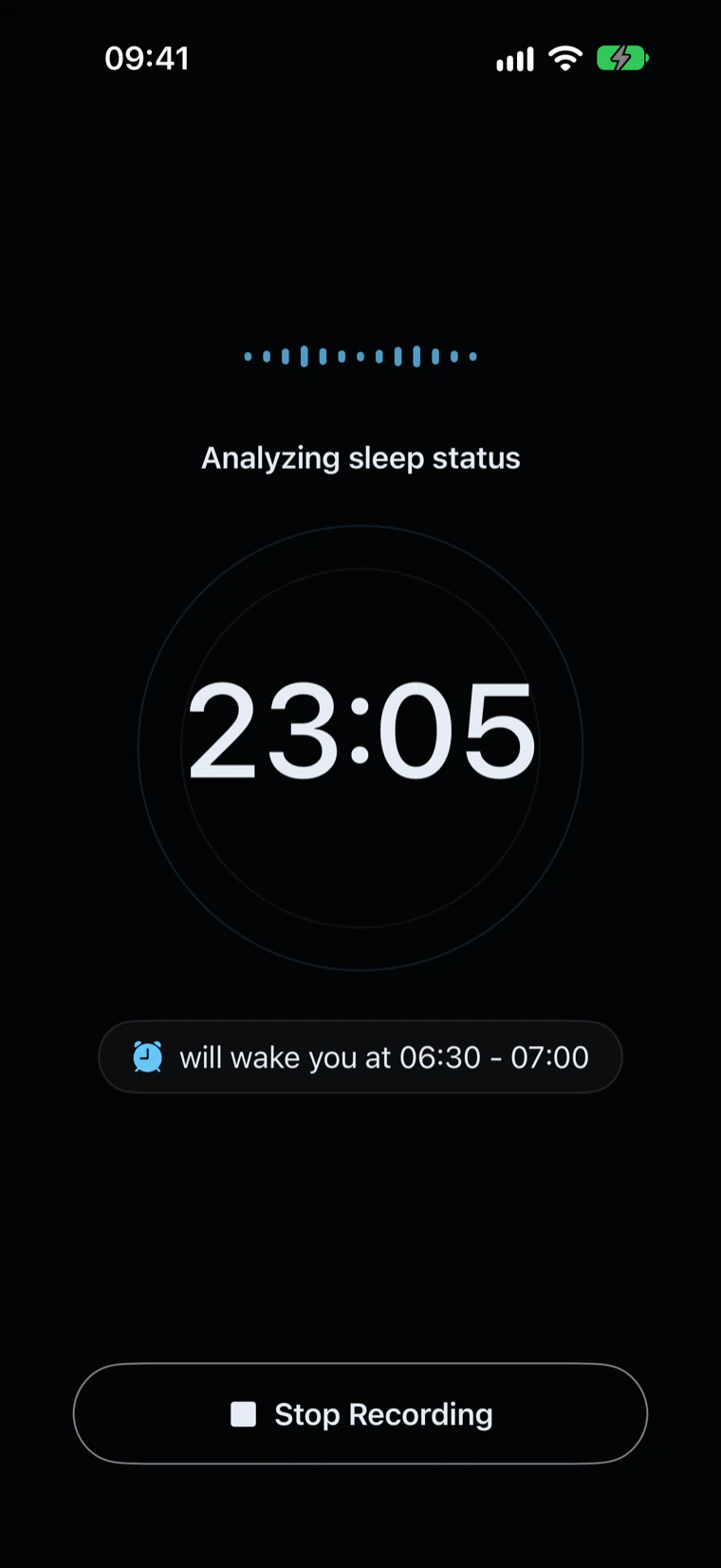
Snorvia preserves the natural flow before and after each moment so morning review feels clear and true to the room. Conservative on-device recognition organizes 8 everyday night sound categories, keeping uncertain ambient sounds cleanly under Other Noise.
Preserves calm room lead-in and full breathing cadence so morning review sounds natural.
Frames nighttime phrases with before-and-after quiet, stored privately on your device.
Logs brief nighttime coughing clearly so seasonal or dry-air patterns stand out.
Captures sudden sneezes smoothly with surrounding ambiance for comfortable playback.

Separates pets in the room or early outdoor birds from your own sleep sounds.
Groups doors, footsteps, and appliances so external disruptions are easy to spot.
Keeps night rain, wind, and thunder neatly filed alongside your rest timeline.
Never forces a guess — uncertain ambient noises stay cleanly organized for your own review.
Browse captured moments chronologically or filter by category in one tap. Preview natural-context clips free, unlock full-length playback and sharing with Plus, or switch to Full Night audio anytime with Pro.
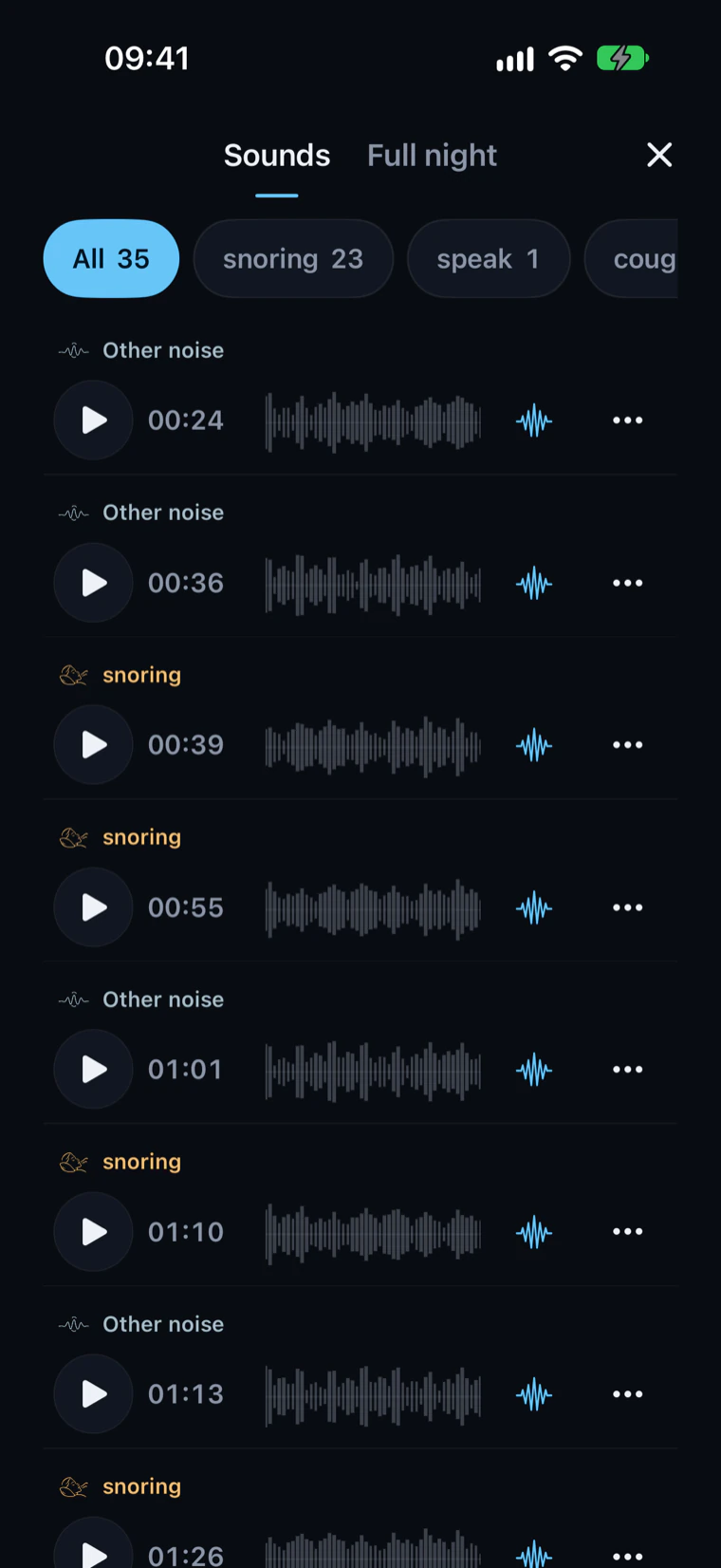
Real Snorvia screen · Sounds list & full-night review
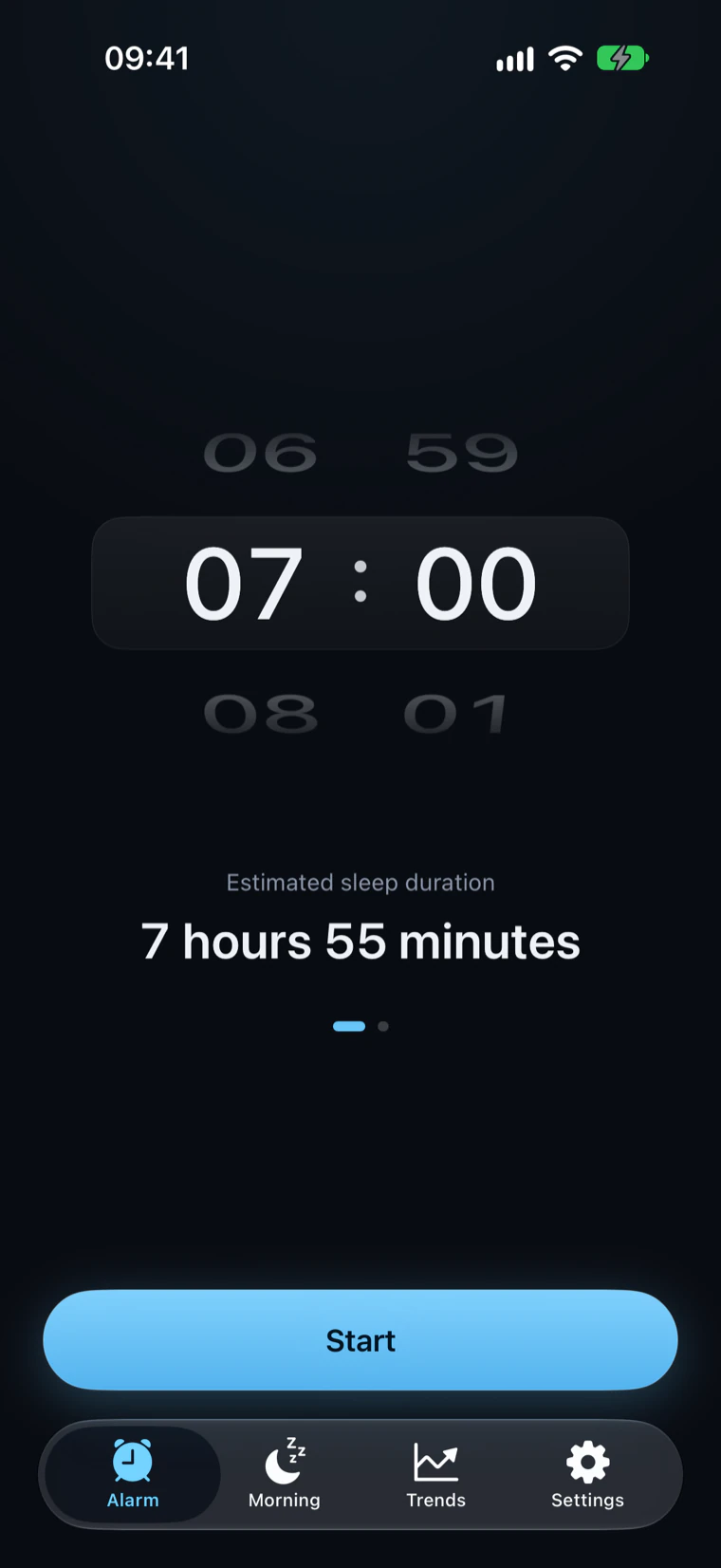
Choose a smart wake window so Snorvia gently greets you near lighter rest with calm, rising melodies³ — or switch the alarm off for quiet sleep-only tracking. Enjoy curated built-in tones or your own local alarm audio, add optional Pro Wake Challenges to stop accidental snoozing, and start quick daytime naps with Apple Shortcuts.
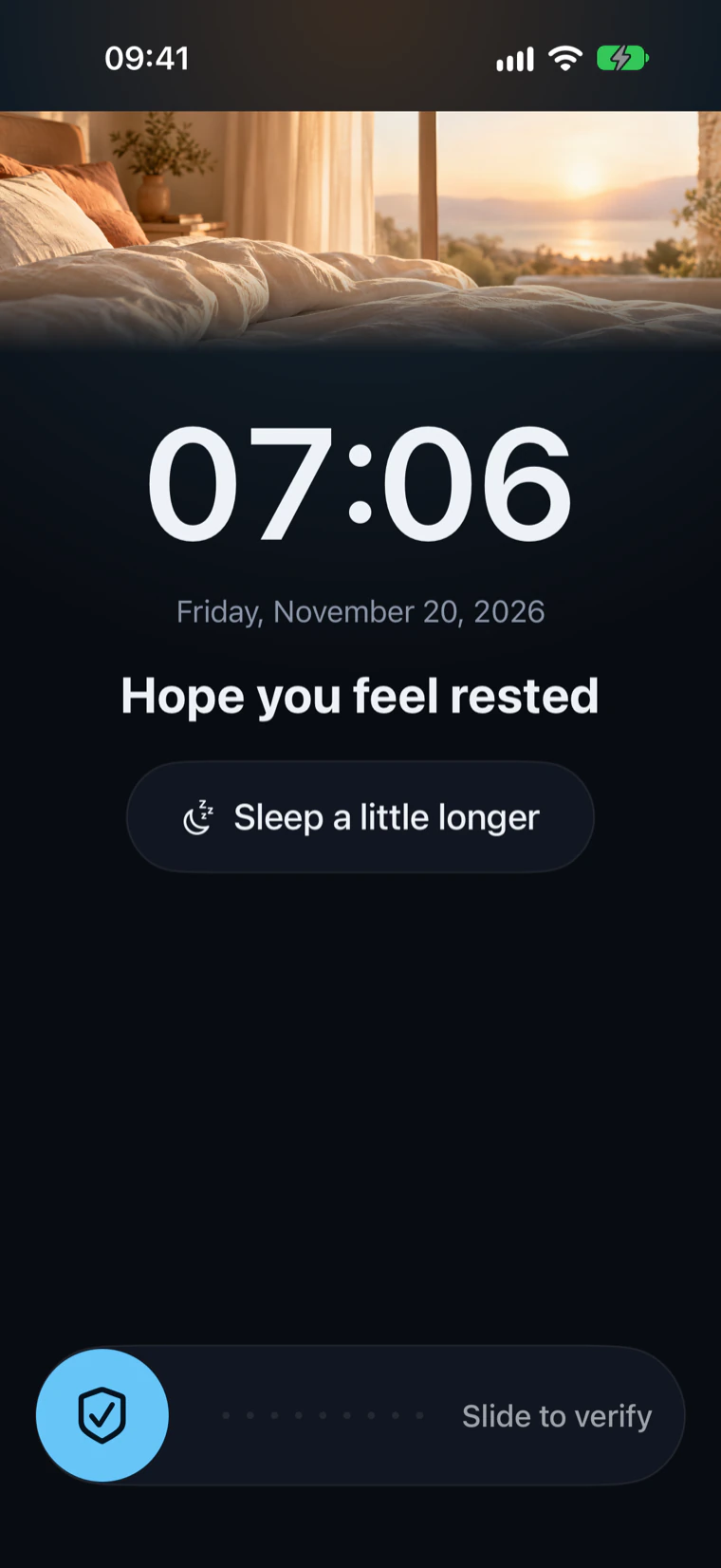
Real Snorvia screen · Dawn Smart Wake & Wake Challenge
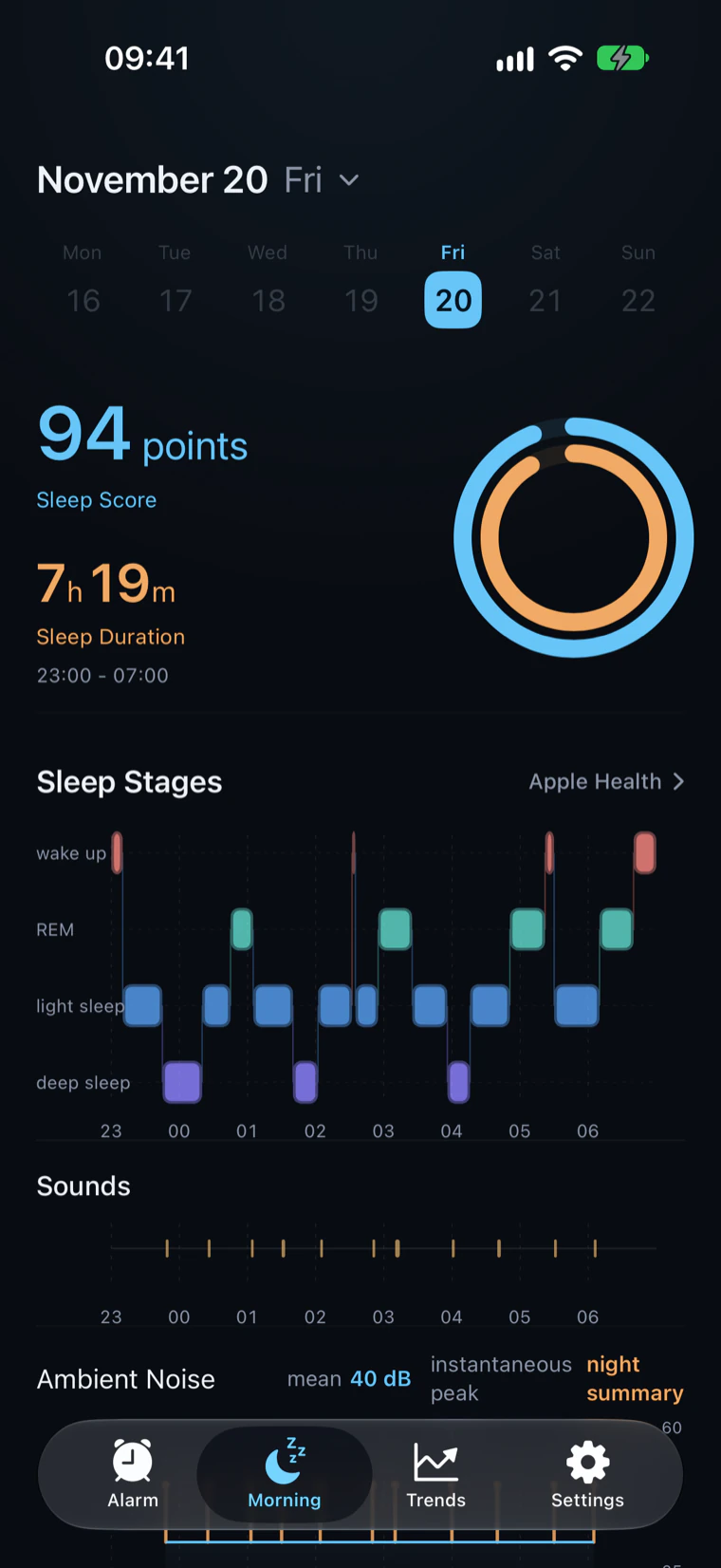
Review sleep duration, ambient room sound levels, and nighttime moments on one serene timeline. Connect Apple Health to bring in Apple Watch sleep stages and vitals¹, or review clearly labeled microphone-estimated stages when sleeping without a watch². Over time, follow weekly, monthly, quarterly, and yearly trends.
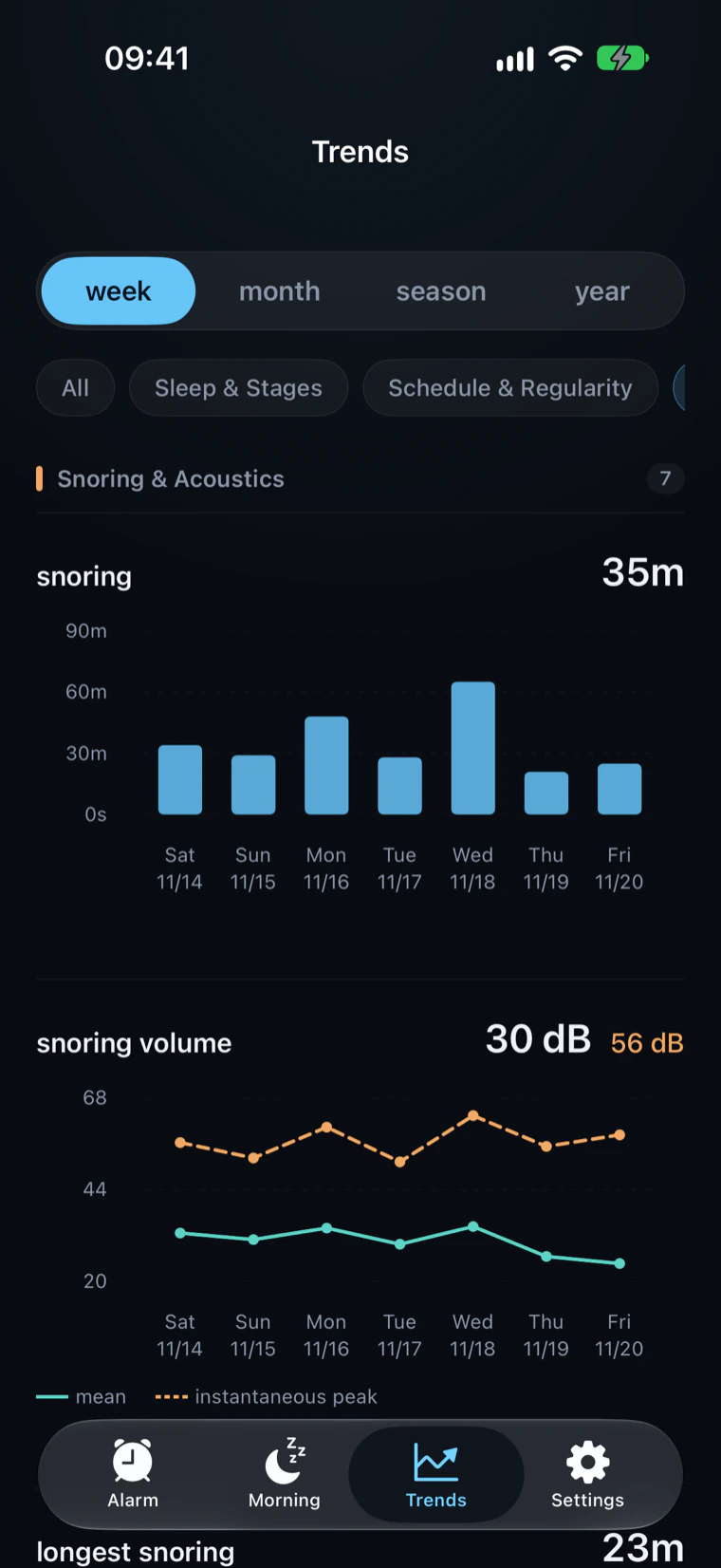
Real Snorvia screen · Multi-period snoring & acoustics trends
Designed from the ground up around local-first privacy.
Open Snorvia and start tracking tonight — no email, phone number, or sign-in required.
Recordings and on-device sound recognition remain local to your iPhone or iPad with zero background uploads.
No third-party ad networks, no behavioral profiling, and no selling of your sleep history.
Optional Pro iCloud Sync transfers summaries only — never recordings. Export or wipe data anytime.
Core overnight tracking, gentle smart alarms, and every privacy control are free. Unlock complete clips with a one-time Plus purchase or go deeper with Pro.
Private nightly sleep and snoring tracking with zero sign-up required.
For listeners who want complete clip playback and sharing without a subscription.
Full-night playback, long-term trends, and Wake Challenges — Annual with free trial or Lifetime.
Free to download. Regional pricing is shown in the App Store. Eligible new subscribers receive a free trial on Pro Annual, managed securely through your Apple ID. See our Terms of Use.
No. Snorvia requires no account or sign-in and includes zero third-party ad trackers. Your overnight recordings, sound clips, and favorites stay locally on your iPhone or iPad by default, and sound recognition runs on-device. Even if you opt in to Pro iCloud Sync, only structured sleep summaries sync — audio recordings are never uploaded.
Yes. You can lock your screen normally after starting a session and do not need to keep the display awake. Just avoid swiping Snorvia closed from the app switcher, plug your device into power, and rest it flat on your nightstand away from direct fan or air conditioner drafts.
No. When you connect Apple Health and sleep with an Apple Watch, Snorvia brings in Apple Watch sleep stages along with vitals such as heart rate, blood oxygen, HRV, and wrist temperature. Without a watch, Snorvia works on iPhone or iPad alone and displays clearly labeled microphone-estimated sleep stages without fabricating wearable metrics.
No. Snorvia is designed for personal sleep tracking and everyday acoustic insight only — it is not a medical device and does not provide medical advice, diagnosis, or treatment. If you experience heavy snoring, gasping at night, or persistent daytime fatigue, please speak with a qualified doctor.
Snorvia's smart alarm wakes you softly inside your chosen wake window with calm, gradually rising melodies, supports personal alarm audio, offers a quiet sleep-only tracking mode, and includes optional Pro Wake Challenges. Because it rings inside Snorvia while running in the background (screen lock is supported; do not force-quit the app), we recommend keeping a backup alarm in Apple's Clock app for flights, exams, or other critical mornings.
Free lets you track overnight sounds with on-device recognition, preview captured moments, view your morning report and real-time Decibel Meter, use the smart alarm with built-in or personal tones, and access full privacy export and deletion controls. Snorvia Plus is a one-time purchase unlocking full-length clip playback and on-demand clip sharing or export. Snorvia Pro is available as an Annual subscription (with a free trial for eligible users) or a Lifetime unlock, adding whole-night audio playback, weekly/monthly/quarterly/yearly trends, Wake Challenges, and optional summary-only iCloud Sync. Exact regional pricing is displayed in the App Store.

No sign-up required. Start private overnight sound tracking and wake gently tomorrow morning.